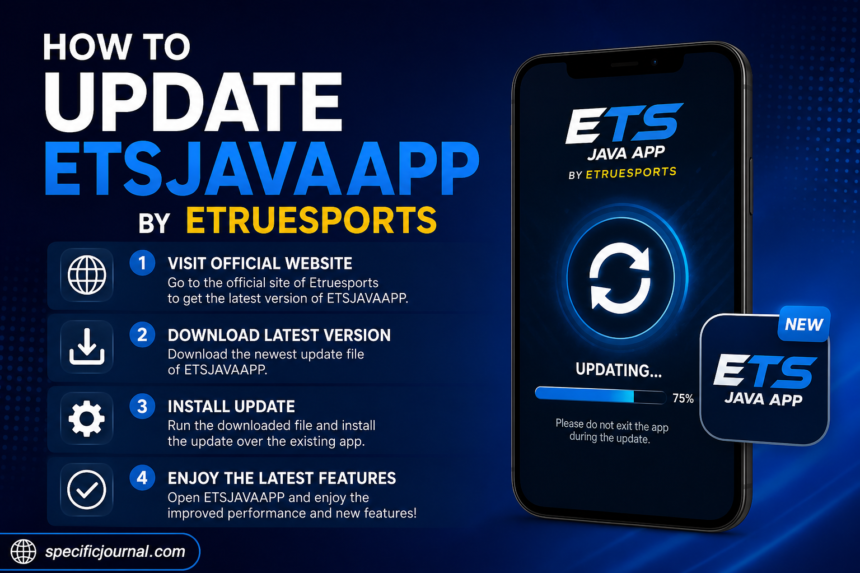
If you searched for how to update ETSJavaApp by eTrueSports, you may be expecting a simple download-and-install guide. But there is an important problem with that assumption: eTrueSports currently says that “etsjavaapp” is not an official eTrueSports product.
That means there is no verified ETSJavaApp version, official update package, or legitimate update procedure to follow at this time.
Can You Actually Update ETSJavaApp by eTrueSports?
No—not based on the current information published by eTrueSports.
In an August 2026 article about its Android presence, eTrueSports states that it does not currently have an official downloadable Android app. More specifically, its FAQ addresses the term “etsjavaapp” and says there is no eTrueSports product by that name, meaning there is no official version, release date, guide, or update associated with it.
That directly conflicts with numerous third-party pages currently appearing in search results. Some of those pages describe ETSJavaApp as a Java-based client, gaming utility, sports application, or desktop application and provide detailed installation or update instructions.
Because the official source contradicts those claims, you should not download an installer, APK, JAR, or other update file simply because a webpage calls it “ETSJavaApp.”
Why Are There So Many ETSJavaApp Update Guides?
This is where the search results become confusing.
A search for the exact phrase produces several pages with titles such as “How to Update ETSJavaApp by eTrueSports.” They generally describe an automatic updater, manual installation, Java requirements, or supposed desktop versions.
One separate eTrueSports-branded page even describes ETSJavaApp as a Java-based client with claimed requirements and features. However, that information conflicts with the more direct eTrueSports statement that no such product exists.
The important lesson is that repetition across multiple websites does not establish that a product is official.
A number of sites can repeat the same description without providing a verifiable developer listing, official download page, release documentation, or other primary evidence.
What Does eTrueSports Actually Say?
The clearest information comes from eTrueSports itself.
According to its published statement:
- eTrueSports does not currently have an official Android app.
- Its content is available through its website.
- It does not identify “etsjavaapp” as an official product.
- It says there is no legitimate ETSJavaApp version to update.
- It advises users to treat references to ETSJavaApp as inaccurate rather than as instructions for installing software.
This makes the answer to the search query much simpler than many third-party tutorials suggest.
If You Already Have a Program Called ETSJavaApp
If ETSJavaApp is already installed on your computer or phone, do not assume that it came from eTrueSports.
Before attempting an update, check:
- The publisher or developer name
- Where you originally downloaded it
- The application’s About or version information
- The installation file’s source
- Whether the publisher provides an official website or release page
- Whether the software has a verifiable digital signature, where applicable
If you cannot establish where the software came from, downloading another file labeled “latest ETSJavaApp update” could make the situation worse.
Should You Download an ETSJavaApp APK or Installer?
You should be particularly cautious.
The official eTrueSports page warns users about unofficial apps using the eTrueSports name and explains that Android allows applications to be installed outside the Play Store. It specifically recommends avoiding APK files from random websites and checking the publisher before installing an app.
The same principle applies to desktop software.
Avoid downloading an executable or Java package merely because its filename contains:
ETSJavaAppeTrueSportsETSeTrueSports UpdateETSJavaApp Latest Version
A filename does not establish authenticity.
What If a Website Tells You to Update ETSJavaApp?
Pause before following the instructions.
Some current search results tell users to open Settings, select Check for Updates, download a new package, and restart the application.
Other pages go further and describe supposed Windows, macOS, and Linux installers, Java requirements, server connections, and application features.
Those instructions should not be treated as confirmed eTrueSports documentation because they conflict with the company’s own published statement about ETSJavaApp.
If a page asks you to:
- Enable installation from unknown sources
- Download an APK from an unfamiliar domain
- Run an unknown
.exefile - Install a
.jarpackage from a third-party website - Disable antivirus protection
- Enter account credentials into an unfamiliar application
- Pay to unlock an “official” update
stop and verify the software independently first.
How to Access eTrueSports Without ETSJavaApp
If your goal is simply to use eTrueSports on a phone, an app installation is not currently required.
eTrueSports says its website is designed to work through a mobile browser. On Android, it also explains that users can add the website to their home screen using Chrome’s Add to Home screen option.
The basic process is:
- Open Chrome or another modern mobile browser.
- Visit the official eTrueSports website.
- Open the browser menu.
- Select Add to Home screen or the equivalent option.
- Confirm the shortcut.
This creates an app-like shortcut without installing an unofficial application.
What About Future ETSJavaApp Updates?
A future official app is possible, but that is different from saying one exists today.
eTrueSports says that if it eventually launches a dedicated Android application, it will announce it through its own website and official channels.
For that reason, the safest way to check for a future release is to look for an announcement from eTrueSports itself rather than relying on an unrelated download site.
The Bottom Line
The current answer to how to update ETSJavaApp by eTrueSports is that there is no verified ETSJavaApp update to install.
Although multiple third-party websites publish detailed guides describing ETSJavaApp as an eTrueSports application, the eTrueSports website explicitly states that “etsjavaapp” is not an eTrueSports product.
So, rather than downloading a supposed update, verify the software you have and its original source first. If you simply want to use eTrueSports, accessing the official website through your browser is the currently documented option.