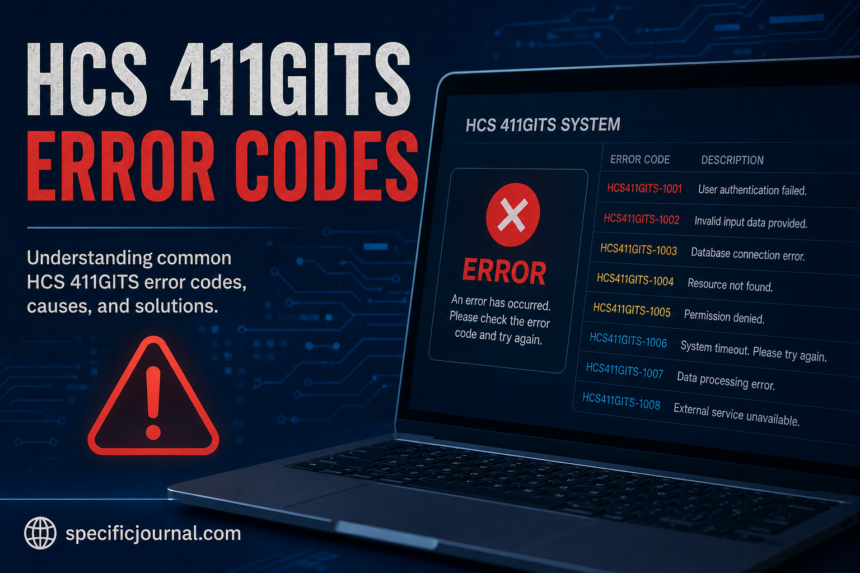
If you searched for hcs 411gits error codes because a system displayed an unfamiliar message, the first thing to know is that the term itself is difficult to verify.
There are numerous websites describing “HCS 411GITS” as a specialized software platform, controller, or traffic-management system. However, those descriptions don’t agree with one another, and there is no clearly identified official documentation establishing HCS 411GITS as a distinct software product or standardized error-code system.
That matters because you shouldn’t rely on an online list of supposedly “official” error codes unless you can connect the code to the actual software, device, manufacturer, or documentation that produced it.
Is HCS 411GITS an Official HCS Product?
The name HCS is strongly associated with Highway Capacity Software, a transportation-analysis application distributed by McTrans at the University of Florida.
McTrans currently documents HCS 2026 and provides user guides, release notes, installation information, and technical support for the software. Its documentation also describes an Information Box that reports ERROR, WARNING, and INFO messages when analyzing data.
However, the official HCS documentation does not establish “411GITS” as the name of an HCS module or an official error-code family.
This creates an important distinction:
- HCS is a documented transportation-analysis software product.
- HCS 2026 is an officially documented current version.
- 411GITS does not have the same level of publicly verifiable documentation.
- Online claims about a specific “HCS 411GITS” system should therefore be treated cautiously.
Why Are There So Many Different HCS 411GITS Error-Code Lists?
A search for the phrase produces multiple articles that look like technical documentation. The problem is that their descriptions aren’t consistent.
Some pages describe HCS 411GITS as a traffic-management platform. Others describe it as an industrial controller, embedded system, enterprise application, or software-development environment.
Several pages also publish detailed tables of supposed error numbers and meanings. Without a manufacturer manual, official knowledge base, or identifiable product documentation, those tables cannot be treated as authoritative.
In other words, the existence of an error-code list on a website does not prove that the codes belong to a real HCS 411GITS product.
What Should You Do If You Actually See an HCS Error?
If the error appeared inside Highway Capacity Software, start with the actual HCS application rather than searching for “411GITS” alone.
1. Record the complete error message
Don’t write down only the number.
Capture:
- The complete error or warning text
- The HCS module being used
- Your HCS version
- The input or project file involved
- What you were doing immediately before the message appeared
A complete message provides much more useful information than an isolated number.
2. Check the HCS Information Box
HCS includes an Information Box designed to help users review input problems before analysis results are produced.
Its messages fall into three broad levels:
- ERROR: An input issue prevents the methodology from producing valid results.
- WARNING: HCS adjusts or flags input data but can still produce results.
- INFO: The message provides additional information, such as a default value or optional input being used.
If your message comes from HCS itself, this information is more useful than a generic online “411GITS error-code” table.
3. Confirm the software version
Check which HCS release you’re actually running.
This is especially important if you’ve recently upgraded or are opening an older project file. McTrans maintains release histories showing changes, bug fixes, and improvements between HCS versions.
For example, the HCS 2026 release history documents fixes involving file opening, calculations, reporting, crashes, and module-specific behavior.
4. Check your input data
Many HCS messages are related to the information entered into an analysis.
Review recent changes to:
- Traffic volumes
- Lane configuration
- Geometry
- Signal timing
- Facility settings
- Calibration values
- Units
- Required fields
If the problem began immediately after changing one input, compare that value with the previous version of the project.
5. Don’t assume that a number has a universal meaning
This is particularly important for searches involving 411.
A number such as 411 can have a completely different meaning depending on the software or protocol producing it. For example, HTTP status code 411 is a standard web-protocol response meaning that a request requires a Content-Length header. That does not mean an HCS application uses 411 in the same way.
The surrounding message and the application that generated it determine the meaning.
What If the Error Is Related to HCS Installation or Activation?
If you’re using McTrans HCS and the problem occurs while starting, activating, or installing the software, use the official HCS support and installation guidance.
McTrans documents an activation-related issue that can occur when different HCS versions have previously been installed or removed. Its troubleshooting instructions include checking the program registration utility and, when necessary, removing older versions before reinstalling the current release.
This is a different problem from an input-analysis error, so reinstalling the software should not be your first response to every HCS error.
What Information Should You Give Technical Support?
If the error continues, provide enough information for support staff to reproduce or identify the problem.
A useful support request should include:
- HCS version
- Module name
- Complete error message
- Steps that produced the error
- Relevant project or input file
- Operating-system information
- Whether the problem happens with one file or multiple files
McTrans specifically asks users seeking HCS assistance to have their registration and serial number available. It also recommends providing relevant input or project files when possible.
Should You Trust Online HCS 411GITS Error-Code Tables?
Not without verification.
The current search results contain many pages that confidently describe “HCS 411GITS” and provide detailed error numbers. But the descriptions vary considerably, and I could not verify those code tables against an authoritative HCS 411GITS manual or manufacturer source.
That doesn’t necessarily prove that every individual code mentioned online is false. It means there isn’t enough reliable public evidence to present those codes as an official standardized reference.
For troubleshooting, the exact application, version, complete error message, and original documentation are more reliable than a generic search-result table.
The Bottom Line
The phrase hcs 411gits error codes currently has a documentation problem.
There is verified software called Highway Capacity Software (HCS) from McTrans, and its official documentation explains how HCS reports errors, warnings, and information messages. But I could not verify an official product or standardized error-code system called HCS 411GITS.
If you encountered this phrase in an actual application, don’t guess at the meaning from a generic online list. Record the full message, identify the software and version that generated it, check the relevant official documentation, and use the manufacturer’s support channel when the message remains unclear.
Frequently Asked Questions
Q: Is HCS 411GITS an official Highway Capacity Software product?
A: I could not verify this in McTrans’s official HCS documentation. McTrans currently documents HCS 2026 and its individual modules, but “411GITS” is not established there as an official HCS product name.
Q: Are online HCS 411GITS error-code lists reliable?
A: They should be treated cautiously. Several websites publish detailed code lists, but I found no authoritative documentation confirming those lists as an official HCS 411GITS reference.
Q: What should I do when HCS displays an error?
A: Record the complete message, check the HCS Information Box, review the relevant inputs, confirm your software version, and consult the official HCS documentation or McTrans support if the problem persists.
Q: Does error 411 always mean the same thing?
A: No. Error numbers are not universally meaningful across software. The HTTP 411 status code, for example, has a specific web-protocol meaning that shouldn’t automatically be applied to an HCS message.
Q: Where can I get official HCS help?
A: McTrans provides HCS documentation, user guides, installation information, and technical support. The official support team can also review relevant project or input files when troubleshooting requires more detail.